Tiered Service Packages: Designing Good-Better-Best That Sells
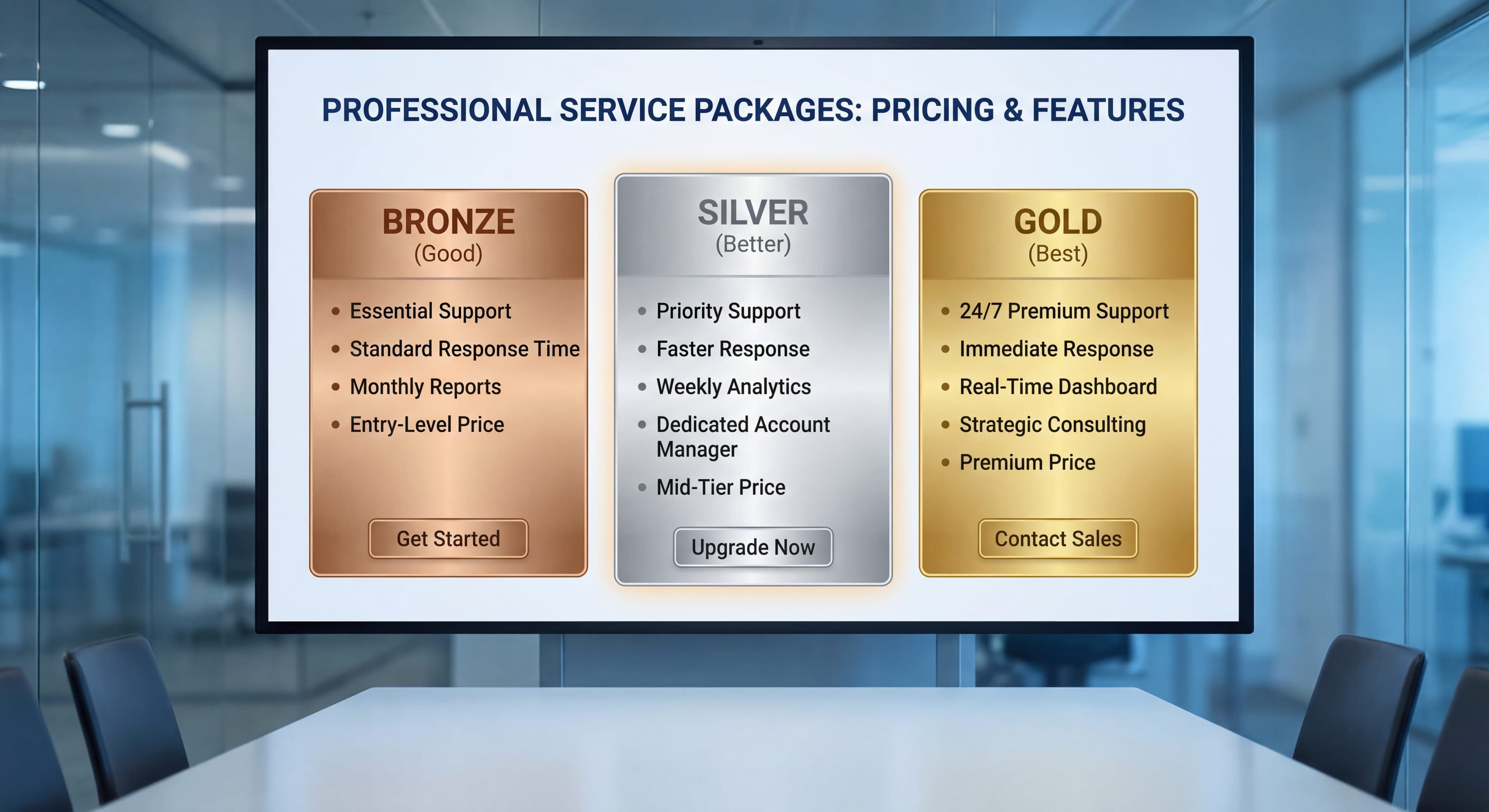

Marcus thought he had a smart pricing setup. Five service tiers, catchy names, a feature matrix that spilled across two pages. He felt good about giving clients options.
Six months later, reality hit. Seventy-three percent of his clients had picked the cheapest tier. His average revenue per user? $67. His cost to deliver those services? $71. He was literally losing money on most of his client base.
"I gave them choices," Marcus told me at a peer group meeting. "Isn't that what we're supposed to do?"
Sort of. Choices matter. But the wrong choices will sink you.
Marcus isn't alone. I've seen dozens of MSPs make the same mistake. They create pricing that looks great on paper but doesn't work in practice. Clients either crowd onto the bottom tier and kill your margins, the top tier sits there unused because it's too expensive, or the tiers are so similar clients can't figure out which one to pick.
The fix isn't adding more tiers or cutting them down. It's building tiers that guide clients toward what works for both of you.
Last year, I worked with 23 MSPs on rebuilding their tier structures. The ones who nailed it? Average contract value jumped 34% while their operations got simpler. The ones who didn't? Still wondering why everyone goes cheap.
Here's what actually works when you're designing tiered service packages.
Why Do Three Pricing Tiers Work Better Than Two or Four?
Three tiers beat other setups because they tap into how people actually make decisions. Done right, three-tier pricing pushes 60-70% of clients toward your most profitable middle option while still catching budget buyers at the low end and premium clients at the top.
Before we dig into the structure, let's talk about why tiered pricing works at all. This isn't really about giving people options. It's about understanding how people choose, then using that to help them pick what works.
A recent MSP Success Reader survey found 71% of MSPs stick with two or three pricing tiers. There's a reason for that. The managed services market hit $390.21 billion in 2025 and should reach $642.57 billion by 2030. With that kind of growth, getting your pricing right matters more than ever.
What Is the Compromise Effect in Pricing?
The compromise effect is a cognitive bias where people pick the middle option over the extremes. Why? The middle is easier to defend, less likely to get criticized, and feels safer. Research shows middle options grab 17.5% more market share when you position them right.
Give someone three choices and watch what happens. Most pick the middle. Behavioral economists call this the compromise effect. Stanford professor Itamar Simonson first wrote about it back in 1989. The middle feels safe. Balanced. Smart. You avoid the worry of going too cheap and the guilt of spending too much.
Studies show the middle option's appeal is worth 17-23% of what people are willing to spend. For MSPs, this means your mid-tier isn't just one of three options. It's THE option. The other two exist to make it look better.
Patrick Campbell, who founded ProfitWell, says it plainly: "Most companies should aim to have 60-70% of customers select their middle tier plan. That's typically where the value-price equation is most balanced for both parties."
How Does the Decoy Effect Increase Mid-Tier Selection?
The decoy effect changes what people want by adding a third option that makes your target pick look better. In pricing tests, dropping in a well-placed decoy boosted selection of the premium option from 32% to 84%. That kind of swing can completely change your profitability.
Here's where it gets fun. The decoy effect (some people call it asymmetric dominance) proves that adding a third choice can totally flip preferences between the first two.
Dan Ariely ran a famous experiment with The Economist's subscription pricing. With two choices, only 32% picked the expensive option. Then he added a third choice: print-only at the same price as print-plus-web. Suddenly 84% went for the premium combo. One strategic option created a 163% swing.
Your entry tier does the same thing. It's not really meant to be picked. It's there to make your mid-tier look like the no-brainer.
Why Should You Present Premium Pricing First?
The first number a prospect hears sets the baseline for everything else. That's called anchoring. Show your premium tier first, and your mid-tier suddenly feels reasonable. Start with your cheapest option, and everything else looks expensive.
Smart tier presentation leads with the premium package. Not because most people will buy it. But because it makes your mid-tier price feel like a deal.
How Should MSPs Structure Their Three Service Tiers?
The sweet spot for MSP tier structure puts 15-20% of clients on your entry tier, 60-70% on the middle, and 15-20% on premium. This spread maximizes your overall profit while covering different client needs. Each tier needs specific margin targets and service bundles to make this work.
Now let's build a structure that uses these psychology principles. The goal: three tiers where the middle option wins 60-70% of the time and all three still make you money.
What Should an Entry-Level MSP Tier Include?
An entry-level MSP tier should include remote monitoring, patch management, basic antivirus, business hours support, and standard response times at $75-110 per user per month. Target 25-30% gross margin and design intentional limitations that make clients feel the constraints.
Purpose: Attract price-sensitive prospects while showing what you can do. Serve as the "decoy" that makes your mid-tier compelling.
Target Margin: 25-30% gross margin
Typical Pricing: $75-110 per user per month
Based on 2025 industry benchmarks, the average MSP charges $125-200 per user per month for comprehensive services. Your entry tier should sit below this range to create clear differentiation while remaining profitable.
Core Service Inclusions:
- Remote monitoring and alerting
- Patch management for workstations
- Basic antivirus and endpoint protection
- Business hours help desk support (8x5)
- Monthly system health reports
- Standard response times (next business day)
Critical Exclusions:
- Unlimited support (charge hourly for issues beyond basic)
- After-hours coverage
- On-site visits
- Advanced security tools
- Strategic planning or vCIO services
- Backup and disaster recovery
Design Principle: Make this tier actually limited, not just cheap. Clients should bump into the boundaries. Your entry tier works when clients occasionally wish they'd gone bigger, not when they feel like they gamed the system. If you're struggling to figure out your true costs here, check out our guide on calculating your first client profitability report to understand what you're really spending.
What Services Define a Profitable Mid-Tier MSP Package?
A profitable mid-tier MSP package includes unlimited remote support, EDR endpoint protection, email security, cloud backup with disaster recovery, extended support hours, quarterly business reviews, and priority response times at $140-180 per user per month. You're looking at 35-45% gross margin, and this tier should be carrying most of your business.
Purpose: This is where most of your clients land. Good services, solid margins. This tier IS your business.
Target Margin: 35-45% gross margin
Typical Pricing: $140-180 per user per month
That lines up with what most MSPs charged in 2025. The typical range for comprehensive MSP services runs $125-200 per user per month. Kaseya's pricing research confirms this is where the market sits for full managed IT. For more on choosing between per-user, per-device, or all-you-can-eat pricing models, we break down the pros and cons of each approach.
Core Service Inclusions:
Everything in Foundation, plus:
- Unlimited remote support
- Enhanced endpoint protection (EDR)
- Email security and spam filtering
- Cloud backup with disaster recovery
- Extended support hours (12x6)
- Quarterly business reviews
- Priority response times (4-hour response)
- Software license management
- Basic compliance reporting
- Monthly security assessments
Security is blowing up right now. 73% of MSPs say it's their fastest-growing service. Managed security services are growing at 11.9% per year through 2030, so building a solid security stack into your mid-tier isn't optional anymore.
Critical Exclusions:
- 24/7 support coverage
- Dedicated account manager
- vCIO strategic planning
- Compliance audit support
- Custom integrations
- On-site presence
Design Principle: Pack real value into this tier. When clients look at Foundation versus Professional, the price jump should feel like a steal for what they're getting. Going from $95 to $155 per user should make them feel smart, not gouged. If you need help justifying the security components, our guide on explaining your security stack's ROI has scripts that actually work with non-technical clients.
What Justifies Premium MSP Tier Pricing?
Premium MSP tier pricing runs $200-275 per user per month, and you earn it with 24/7 support, guaranteed response times, dedicated account managers, vCIO strategic planning, full compliance support, and serious security operations. You're targeting 45-55% gross margin here. This tier is for clients with heavy regulatory requirements or who can't afford downtime.
Purpose: Take care of your most demanding clients and make great margins doing it. This tier shows what you're really capable of.
Target Margin: 45-55%+ gross margin
Typical Pricing: $200-275 per user per month
Industry research shows premium managed IT with 24/7 support, advanced security, and real IT consulting runs anywhere from $150 to $400 per user per month. At this price, you'd better be delivering white-glove service.
Core Service Inclusions:
Everything in Professional, plus:
- 24/7 support with guaranteed response times
- Dedicated account manager and named technicians
- vCIO strategic planning and technology roadmapping
- Full compliance and audit support
- Advanced threat hunting and security operations
- Executive reporting and board presentations
- Unlimited on-site visits
- Custom integration development
- Vendor management and procurement
- Strategic project prioritization
vCIO services by themselves usually run $200-300 per hour or $2,000-10,000 a month. Bundle them into your premium tier and suddenly you're offering real value while keeping healthy margins.
Design Principle: This tier should feel complete and special. Price it high enough that only clients who actually need this stuff will pick it. You're not going for volume here. You're serving clients who need the premium treatment and understand what it costs.
What Pricing Ratios Drive Mid-Tier Conversion?
The magic ratio: bump your price 40-60% from entry to mid-tier, but deliver 200-300% more in actual services. Your premium tier should sit 30-50% above your mid-tier. These ratios use the compromise effect to make your middle option look like a killer deal.
Here's the thing: nailing the exact prices matters less than getting the relationship between tiers right. This formula consistently pushes clients toward the middle.
How Much Should Mid-Tier Cost Compared to Entry-Level?
Your mid-tier should run 40-60% more than your entry tier, but you need to pack in way more value. Entry tier at $95 per user? Your mid-tier should hit $135-150, not $115-120. The trick is making sure the value gap (200-300% more services) blows away the price gap.
Think about it this way:
Foundation to Professional Price Gap: 40-60% higher
Foundation to Professional Value Gap: 200-300% more included services
When clients realize they're getting triple the services for 50% more money, the mid-tier sells itself.
What Premium Tier Pricing Strategy Works Best?
Premium tier pricing works best at 30-50% above mid-tier. Usually that means $200-275 per user per month. This gap pulls double duty: it makes your mid-tier look like a great value, and it keeps your premium tier from getting picked by people who don't really need it.
The Professional to Enterprise jump can be bigger than the Foundation to Professional jump. Usually 30-50% above mid-tier. That does two things:
- Makes Professional look like the smart money
- Filters out clients who don't actually need Enterprise-level service
If too many clients pick Enterprise, you didn't make Professional attractive enough. If nobody picks Enterprise, you either priced it too high or didn't explain what you're offering.
MSP Pricing Benchmarks: 2025 Industry Comparison
Here's a pricing matrix aligned with 2025 industry benchmarks:
| Tier | Per User/Month | Monthly (50 users) | Target Margin | Client Distribution Target |
|---|---|---|---|---|
| Foundation | $95 | $4,750 | 28% | 15-20% of clients |
| Professional | $155 | $7,750 | 42% | 60-70% of clients |
| Enterprise | $225 | $11,250 | 52% | 15-20% of clients |
These numbers match what the industry is seeing. Most MSPs charge $125-200 per user per month, with tiers running anywhere from $99-250 depending on what's included. Look at those client distribution targets. If your numbers are way off from that, something's broken in your tier design.
The Service Leadership Index 2025 Annual Report shows best-in-class MSPs hitting 19%+ adjusted EBITDA for five years straight. Your tier margins need to support that kind of profitability.
How Do You Map Services to Each MSP Tier?
Mapping services means looking at two things: what clients actually value and what it costs you to deliver. High-value, low-cost stuff goes in your mid-tier to make it stand out. High-value, high-cost services justify your premium pricing. Low-value, high-cost services? Cut them. They're killing you.
Cookie-cutter service lists won't build profitable tiers. You need a system that ties services to real client value while protecting your margins. Our guide to designing your minimum viable stack and pricing it for profit walks through the math on picking the right services for each tier.
What Is a Value-Cost Matrix for MSP Services?
A value-cost matrix categorizes services into four quadrants based on client perceived value and your delivery cost. Stars (high value, low cost) go in your mid-tier. Strategic services (high value, high cost) go in premium. Commodities (low value, low cost) fill out entry tier. Eliminate anything with low value and high cost.
Before slotting services into tiers, evaluate each one on two dimensions:
- Client Perceived Value: How much do clients actually care about this service?
- Delivery Cost: What does it really cost you to deliver?
Services fall into four buckets:
High Value, Low Cost (Stars): Put these in your mid-tier. They differentiate your offering while protecting margins. Examples: automated reporting, patch management, basic backup monitoring.
High Value, High Cost (Strategic): Save these for premium tier or offer as add-ons. Examples: 24/7 support, vCIO services, dedicated account management.
Low Value, Low Cost (Commodities): Include these in your entry tier. They round out the offering without major cost impact. Examples: basic monitoring, email filtering.
Low Value, High Cost (Eliminate): Don't include these anywhere. If clients don't care about them and they're expensive to deliver, cut them.
How Should Security Services Be Distributed Across MSP Tiers?
Security services should follow a progressive enhancement model across tiers. Entry tier includes basic antivirus. Mid-tier adds EDR, advanced email security, and quarterly vulnerability scanning. Premium tier includes threat hunting, SIEM/SOC integration, and continuous security awareness training.
Security deserves extra attention because it drives a lot of client decisions. With managed security services advancing at an 11.9% CAGR through 2030, your security stack becomes a competitive differentiator:
| Service | Foundation | Professional | Enterprise |
|---|---|---|---|
| Basic antivirus | Yes | Yes | Yes |
| EDR/Advanced endpoint | No | Yes | Yes |
| Email security | Basic | Advanced | Advanced + DMARC |
| Security awareness training | No | Annual | Continuous |
| Vulnerability scanning | No | Quarterly | Monthly |
| Threat hunting | No | No | Yes |
| SIEM/SOC | No | No | Yes |
| Compliance reporting | No | Basic | Comprehensive |
What Support Levels Differentiate MSP Tiers?
Support levels differentiate tiers through hours of coverage, response time guarantees, and technician assignment. Entry tier offers 8x5 with next-business-day response. Mid-tier provides 12x6 with 4-hour response. Premium tier delivers 24/7 coverage with 1-hour response and dedicated named technicians.
Support hours and response times are powerful tier differentiators:
| Service | Foundation | Professional | Enterprise |
|---|---|---|---|
| Help desk hours | 8x5 | 12x6 | 24x7 |
| Response time target | Next business day | 4 hours | 1 hour |
| Unlimited remote support | No (hourly) | Yes | Yes |
| On-site visits | No (billable) | 2/quarter | Unlimited |
| Escalation path | Standard | Priority | Direct to senior |
| Named technician | No | No | Yes |
Which Strategic Services Belong in Premium MSP Tiers?
Strategic services including vCIO planning, technology roadmapping, budget planning, full vendor management, and executive reporting justify premium tier pricing. These services typically command $200-300 per hour or $2,000-10,000 monthly when sold standalone, making bundled premium pricing attractive to clients.
Strategic services justify premium tier pricing:
| Service | Foundation | Professional | Enterprise |
|---|---|---|---|
| Monthly reporting | Basic health | Security + performance | Executive dashboard |
| QBRs | No | Quarterly | Monthly |
| vCIO services | No | No | Included |
| Technology roadmapping | No | Annual review | Strategic planning |
| Budget planning | No | No | Yes |
| Vendor management | No | Basic | Full procurement |
What Do Successful MSP Tier Structures Look Like?
Successful MSP tier structures achieve 60-70% mid-tier adoption with 35-45% gross margins and significant revenue per user increases. Case studies show MSPs increasing average revenue per user from $94-121 to $147-183 after implementing optimized three-tier models.
Let me share three tier structures from MSPs who've made the good-better-best model work for them.
Case Study 1: Regional MSP Serving Professional Services
Background: 45-person MSP working with law firms and accounting practices. Their old structure had four tiers with poor distribution.
New Structure:
Essentials ($89/user): Monitoring, patching, basic AV, 8x5 support, hourly billing for issues. Target: new clients, budget-conscious firms.
Complete ($149/user): Everything above plus unlimited support, EDR, backup, email security, quarterly reviews, compliance basics. Target: majority of clients.
Premier ($229/user): Everything above plus 24/7, vCIO, compliance audit support, dedicated team, unlimited on-site. Target: larger firms with compliance requirements.
Results after 12 months:
- Client distribution: 18% Essentials, 67% Complete, 15% Premier
- Average revenue per user: $147 (up from $98)
- Gross margin: 41% (up from 29%)
Case Study 2: Urban MSP Serving Healthcare
Background: 28-person MSP focused on medical practices and clinics. They struggled with how to price HIPAA compliance.
New Structure:
Managed Care ($115/user): Core monitoring, HIPAA-compliant backup, basic security, business hours support. Works for small practices with minimal compliance complexity.
Comprehensive Care ($175/user): Full security stack, unlimited support, compliance documentation, quarterly HIPAA reviews, extended hours. Target: most practices.
Concierge Care ($265/user): 24/7 support, dedicated compliance officer access, audit preparation, vCIO, monthly executive reporting. Target: multi-location practices, surgery centers.
Results after 12 months:
- Client distribution: 12% Managed, 71% Comprehensive, 17% Concierge
- Average revenue per user: $183 (up from $121)
- HIPAA audit pass rate: 100% across all tier levels
Case Study 3: Small MSP Serving Manufacturing
Background: 12-person MSP working with manufacturing facilities dealing with OT/IT convergence.
New Structure:
Production Support ($85/user): Basic IT monitoring, workstation support, business hours help desk. Doesn't touch OT systems.
Integrated Operations ($165/user): Full IT support, basic OT monitoring, security across the IT/OT boundary, unlimited support, backup and DR. Target: manufacturers wanting unified support.
Connected Factory ($245/user): Comprehensive IT/OT security, 24/7 support, predictive maintenance integration, vCIO with manufacturing expertise, compliance support (ISO, NIST).
Results after 12 months:
- Client distribution: 22% Production, 58% Integrated, 20% Connected
- Average revenue per user: $169 (up from $94)
- OT security incidents: down 78%
What Are the Most Common MSP Tiered Pricing Mistakes?
The usual suspects: too many tiers (four or more and people freeze up), tiers that look too similar, entry tiers that give away too much, not doing the math on what things actually cost you, and failing to spell out what's NOT included.
I've seen MSPs step on these landmines repeatedly. Here's what to avoid:
Why Do Too Many Tiers Hurt MSP Sales?
Too many tiers freeze people up. They can't decide, so they either pick the cheapest or walk away. Research backs this up: when choices get hard to tell apart, people just go by price.
The Problem: Four, five, six tiers and clients just glaze over. They can't see real differences, so they default to picking the cheapest one.
The Fix: Three tiers. That's it. Need more flexibility? Use add-ons, not more tiers. I worked with one MSP who had seven tiers. We collapsed it to three plus add-ons. Their mid-tier selection jumped from 23% to 64%.
How Do Similar Tier Values Kill Mid-Tier Conversion?
Similar tier values eliminate the compromise effect's power. When clients cannot immediately perceive why the mid-tier beats the entry option, they default to the lower price. Subtle differences do not justify significant price increases.
The Problem: If clients can't immediately see why Professional beats Foundation, they'll take Foundation. Subtle differences don't justify significant price increases.
The Fix: Make the jump between tiers dramatic and obvious. Professional shouldn't have "a few more features." It should have fundamentally different capabilities. Unlimited support versus hourly billing is dramatic. Slightly faster response times is not.
What Makes an Entry Tier Too Generous?
An entry tier becomes too generous when it includes services that satisfy most client needs, eliminating the incentive to upgrade. If unlimited support, backup, or advanced security appears in your entry tier, you have undermined your entire pricing strategy.
The Problem: If Foundation includes everything most clients need, why would they pay more? A generous entry tier kills your mid-tier conversion.
The Fix: Design Foundation with intentional gaps that clients will feel. No unlimited support. No backup. No advanced security. Basic monitoring only. Clients should occasionally bump into limitations and wish they had more.
Why Must MSPs Calculate True Delivery Costs?
True delivery cost calculation prevents margin erosion that occurs when prices are set based on competitor rates rather than actual expenses. One MSP discovered their "profitable" entry tier cost $83 per user to deliver while charging $75, meaning they lost $8 per user per month on 40% of their client base.
The Problem: You set prices based on market rates or competitor pricing without knowing your actual costs. Result: tiers that look profitable on paper but bleed money in practice.
The Fix: Calculate fully-loaded costs for each tier including labor, software, overhead, and management time. One MSP discovered their "profitable" entry tier actually cost $83/user to deliver while they charged $75. They were losing $8 per user per month on 40% of their clients.
How Do Unclear Exclusions Create Client Friction?
Unclear exclusions create friction when clients expect services that are not covered by their tier. This misalignment damages relationships and increases support costs as your team handles complaints and scope disputes.
The Problem: Clients don't understand what's NOT included in their tier. When they expect services that aren't covered, you get friction and unhappy clients.
The Fix: Document exclusions as clearly as inclusions. Use your service agreement to explicitly state what falls outside each tier. Train your team to reinforce boundaries consistently.
Why Do Static Tier Structures Fail Over Time?
Static tier structures fail because costs change, market expectations shift, and service delivery efficiencies evolve. MSPs that set tiers once and never revisit them experience margin erosion as competitive pressures and operational costs fluctuate.
The Problem: You set your tiers once and never look at them again. Meanwhile, costs change, market expectations shift, and your margins erode.
The Fix: Review tier profitability quarterly. Analyze time tracking and ticket data by tier. Do a full tier restructure annually or when you notice distribution drifting from targets.
How Should MSPs Present Tiers to Close More Deals?
MSPs should present tiers by leading with premium pricing to anchor high, explicitly recommending the mid-tier as the best fit for most clients, and framing the entry tier as what clients would be giving up. Visual comparison charts with clear checkmark patterns accelerate decision-making.
How you present tiers matters as much as how you design them. The same structure can convert at 30% or 70% depending on presentation.
Why Lead Sales Conversations with Premium Pricing?
Leading with premium pricing leverages the anchoring principle. When prospects first hear your Enterprise tier at $225 per user, your Professional tier at $155 feels reasonable rather than expensive. This psychological anchor fundamentally shifts how clients evaluate your mid-tier value proposition.
Start every pricing conversation with your Enterprise tier. Describe the comprehensive service, the strategic partnership, the white-glove experience. Then reveal the price.
Now when you present Professional, it feels reasonable by comparison. The client has already anchored on a higher number. Professional isn't expensive. It's a great value next to Enterprise.
How Do You Position Mid-Tier as the Default Choice?
Position the mid-tier as your recommendation by explicitly stating it fits most clients' needs, citing that the majority of your current clients choose this option, and framing it as the balanced choice that provides comprehensive coverage without unnecessary premium services.
Don't present three options neutrally. Make a recommendation:
"Based on what you've told me about your business, Professional is what I'd recommend. It includes everything you need for comprehensive protection and support without services you probably don't need yet. Most of our clients in similar situations are on Professional."
The phrase "most of our clients" carries weight. It taps into social proof and positions Professional as the normal, expected choice.
How Should Entry Tier Be Framed in Sales Presentations?
Frame the entry tier as a downgrade option by presenting it last and emphasizing what clients sacrifice by choosing it. Use language like "giving up" rather than "saving" to trigger loss aversion and make Foundation feel like settling rather than smart shopping.
Never present Foundation first. Present it last, and frame it as what you'd be giving up:
"We do have a Foundation tier at $95 per user. But I should be upfront about what you'd be giving up. No unlimited support, so issues beyond basic would be billed hourly. No backup solution. Basic antivirus instead of our advanced endpoint protection. Most clients find the savings aren't worth the gaps."
This framing makes Foundation feel like settling rather than smart shopping.
Why Do Visual Comparison Charts Improve Conversion?
Visual comparison charts leverage pattern recognition to make value gaps immediately obvious. When clients see the mid-tier column filled with checkmarks while the entry tier shows gaps, the decision becomes visual rather than analytical.
Create a one-page chart showing all three tiers side by side. Use checkmarks and X marks. The visual pattern should immediately show that Professional has way more checkmarks than Foundation, making the value gap obvious at a glance.
What Response Handles "Why Pay More?" Objections?
Address "why pay more" objections by focusing on risk reduction and convenience rather than features. Emphasize that mid-tier clients receive priority handling during outages, covered repairs versus hourly billing, and proactive protection that prevents costly incidents.
Expect clients to ask why Professional instead of Foundation. Have your answer ready:
"Honestly? Risk and convenience. On Foundation, when something breaks beyond basic support, you're paying hourly and waiting in our standard queue. On Professional, it's covered and prioritized. Most clients tell me the peace of mind alone is worth the difference. Plus, the backup and security tools in Professional prevent problems that would cost a lot more to fix after the fact."
What Metrics Track MSP Tier Performance?
Track client distribution by tier (targeting 60-70% mid-tier), effective hourly rate by tier ($140-180/hour for mid-tier), tier upgrade rates (20-30% annual from entry to mid), and gross margin by tier (35-45% for mid-tier). Monitor monthly and adjust pricing quarterly.
You can't fix what you don't measure. Here are the metrics that tell you whether your tiers are working.
What Client Distribution Signals Healthy Tier Design?
Healthy tier distribution shows 15-20% of clients on entry tier, 60-70% on mid-tier, and 15-20% on premium tier. More than 30% on your entry tier indicates weak mid-tier value proposition. More than 30% on premium suggests you may be underpricing your mid-tier.
Target: 15-20% Foundation, 60-70% Professional, 15-20% Enterprise
Warning Signs:
- More than 30% on Foundation: Your mid-tier value proposition is weak
- Less than 50% on Professional: Tier design needs work
- More than 30% on Enterprise: You might be underpricing Professional
- Less than 10% on Enterprise: Consider if you need this tier or if it's priced too high
How Do You Calculate Effective Hourly Rate by Tier?
Calculate effective hourly rate (EHR) by dividing monthly tier revenue by hours consumed delivering services. Target EHR of $140-180 per hour for mid-tier and $160-200 per hour for premium tier. If any tier's EHR falls below your fully-loaded labor cost ($85-110/hour typically), that tier loses money.
Calculate EHR for each tier monthly. Divide tier revenue by hours consumed.
Target EHR:
- Foundation: $100-130/hour (lower because of hourly billing for issues)
- Professional: $140-180/hour
- Enterprise: $160-200/hour
If any tier's EHR falls below your fully-loaded labor cost (typically $85-110/hour for most MSPs), that tier is losing money no matter what your gross margin calculations say.
What Tier Upgrade Rate Should MSPs Target?
Target a 20-30% annual upgrade rate from entry tier to mid-tier. Low upgrade rates suggest your entry tier is too generous or your mid-tier value is not compelling. Track upgrades monthly and investigate when rates fall below 15%.
Track how many clients move from Foundation to Professional within 12 months.
Target: 20-30% annual upgrade rate from Foundation to Professional
Low upgrade rates suggest Foundation is too generous or Professional value isn't compelling. High upgrade rates might mean Foundation is too restrictive (good for margins, but you might lose clients entirely).
What Gross Margins Should MSP Tiers Achieve?
Entry tier should achieve 25-30% gross margin, mid-tier 35-45%, and premium tier 45-55%. Calculate actual margins quarterly using the formula: (Revenue - Direct Costs - Allocated Labor) / Revenue. According to Service Leadership data, best-in-class MSPs achieve 19%+ adjusted EBITDA overall.
Calculate actual gross margin quarterly, not theoretical margin.
Formula: (Revenue - Direct Costs - Allocated Labor) / Revenue
Target Margins:
- Foundation: 25-30%
- Professional: 35-45%
- Enterprise: 45-55%
If Professional margin comes in lower than Foundation, your unlimited support is getting abused or your pricing doesn't match real delivery costs.
How Do You Roll Out a New MSP Tier Structure?
Roll out new tier structures in phases: 4-6 weeks of internal preparation including cost calculation and team training, immediate implementation for new prospects, 30-60 days notice for existing clients, and gradual migration over 3-6 months aligned with contract renewals.
If you're overhauling your tiers, here's how to do it without blowing up existing client relationships.
What Internal Preparation Does Tier Migration Require?
Internal preparation requires 4-6 weeks to calculate fully-loaded costs for each proposed tier, document all inclusions and exclusions, train sales and service teams on positioning, update PSA systems with new tier categories, and prepare comparison materials for client conversations.
Phase 1: Internal Preparation (4-6 weeks)
- Calculate fully-loaded costs for proposed tiers
- Document exactly what's included and excluded in each tier
- Train your team on the new structure and how to position it
- Update your PSA/ticketing system with new tier categories
- Prepare comparison materials and sales presentations
When Should New Tier Pricing Apply to Prospects?
Apply new tier pricing to prospects immediately after internal preparation is complete. New prospects have no baseline expectations, making this the cleanest implementation path and the fastest way to validate your new structure in actual sales conversations.
Phase 2: New Client Implementation (Immediate)
Start selling the new structure to prospects right away. Don't wait for existing client migration. New clients have no baseline expectation, so this is the cleanest way to start.
How Do You Communicate Tier Changes to Existing Clients?
Communicate tier changes to existing clients 30-60 days before implementation using positive framing that emphasizes new benefits. For clients whose pricing will increase, schedule individual conversations to discuss tier options rather than sending impersonal notifications.
Phase 3: Existing Client Notification (30-60 days before changes)
Tell existing clients about changes with plenty of notice. Frame it positively:
"We're updating our service structure to better serve you. Your current services will transition to our new Professional tier, which includes [list of new benefits]. Your monthly investment stays the same."
For clients who were underpriced, handle individually:
"We've restructured our services and your current arrangement falls between our new tiers. We'd like to talk about which tier fits your needs going forward."
What Timeline Works for Existing Client Migration?
Migrate existing clients over 3-6 months, aligning transitions with contract renewal dates. Use each renewal conversation as an opportunity to discuss tier selection and ensure clients are positioned appropriately for their needs and your profitability targets.
Phase 4: Gradual Migration (3-6 months)
Move existing clients to new tiers over time, usually aligned with contract renewals. Use the transition as a chance for strategic conversations about tier selection.
MSP Tiered Pricing Implementation Checklist
Here's your roadmap for implementing or optimizing your MSP tiered pricing structure:
This Week:
- Audit your current tier distribution. Where are clients clustering?
- Calculate EHR for your bottom-performing tier. Are you losing money?
- List every service you currently offer. Sort by value and cost.
This Month:
- Design three tiers using the framework above
- Calculate fully-loaded costs for each tier
- Set pricing to hit target margins
- Document inclusions AND exclusions for each tier
This Quarter:
- Train your team on tier positioning and presentation
- Start selling the new structure to prospects
- Plan existing client migration strategy
- Set up tracking for tier distribution and profitability
Ongoing:
- Review tier metrics monthly
- Adjust pricing quarterly based on actual costs
- Do a full tier evaluation annually
The Bottom Line: Designing MSP Tiers That Serve Everyone
Marcus, from the opening story, eventually consolidated his five confusing tiers into three clear options. Within eight months, his client distribution shifted from 73% on the cheapest option to 64% on his mid-tier. Average revenue per user jumped from $67 to $124. He went from losing money on most clients to healthy margins across the board.
The key insight? Tiered pricing isn't about giving clients choices. It's about guiding them toward choices that work for both sides.
Your entry tier exists to make your mid-tier look valuable. Your premium tier exists to anchor high and serve clients who genuinely need comprehensive service. Your mid-tier is where the business happens.
Design your tiers with that psychology in mind, price them based on actual costs, and present them strategically. Do that, and you'll stop wondering why clients always pick the cheap option.
They won't. They'll pick the smart option. And you'll have designed it that way.
For clients who need help understanding the full value of your services, learn how to turn your QBR into a profitability conversation that justifies premium tier selection. When designing your tier structure, our guide to building your minimum viable stack and pricing it for profit provides the cost calculation frameworks you need.
Frequently Asked Questions
What is the ideal number of service tiers for an MSP?
Three tiers following the good-better-best model works best for most MSPs. According to industry surveys, 71% of MSPs stick to two or three options. Three tiers tap into the compromise effect, a well-documented behavioral economics phenomenon where people naturally pick the middle choice when given three options. Research shows middle options capture 17.5% higher market share compared to alternatives.
How should MSP service tiers be priced relative to each other?
The gap between entry and mid-tier should stay around 40-60% in price while delivering 200-300% more value to make upgrades compelling. You can stretch the mid-to-premium gap wider (30-50%) since those buyers have specific needs. Aim for 60-70% of your clients landing on the mid-tier. Industry benchmarks show mid-tier pricing at $140-180 per user per month in 2025.
What profit margins should each MSP service tier target?
Your entry tier should hit 25-30% gross margin, mid-tier around 35-45%, and premium tier 45-55% or higher. According to the Service Leadership Index 2025 report, best-in-class MSPs achieve 19%+ adjusted EBITDA profitability. The higher tiers carry better margins because they bundle strategic services that cost less to deliver relative to what clients pay.
How do you prevent clients from always choosing the cheapest MSP tier?
Make the entry tier genuinely limited, not just cheap. Use the decoy effect by packing obvious value into your mid-tier for a modest price bump. Dan Ariely's research showed that strategic third options can shift preference to premium choices from 32% to 84%. Start conversations focused on the mid-tier and frame the entry option as what clients would be giving up.
What services should be included in each MSP tier?
Entry tier handles monitoring, basic support, and patching at $75-110 per user. Mid-tier ($140-180/user) layers in unlimited remote support, EDR security, backup, and quarterly reviews. Premium ($200-275/user) adds 24/7 coverage, strategic vCIO work, compliance help, and dedicated technicians. Security services are key differentiators, with 73% of MSPs citing security as their fastest-growing service.
How often should MSPs review and adjust their service tiers?
Check tier profitability every quarter using your time tracking and ticket data. Do a full tier overhaul annually or whenever market conditions shift significantly. Watch client distribution monthly to make sure most clients are still picking the mid-tier. MSPs with low customer churn track more service-focused metrics including ticket volume and resolution time.
What are the biggest mistakes MSPs make with tiered pricing?
The usual culprits include too many tiers (more than four confuses people and triggers decision paralysis), tiers that look too similar in value, underpriced entry options that are too generous, skipping real cost calculations, and not spelling out what each tier excludes. One MSP discovered their entry tier cost $83/user to deliver while charging only $75.
Should MSPs use per-user or per-device pricing for service tiers?
Per-user pricing has become the standard in 2025, especially with remote and hybrid work everywhere. It simplifies billing, covers multiple devices, and matches how businesses actually operate now. Industry benchmarks put mid-tier services at $125-200 per user per month, with the average MSP charging $150/user for comprehensive managed IT services.
What is the average MSP client retention rate?
According to the Technology & Services Industry Association Managed Services Benchmark, the average MSP retention rate is 90%, though more than 50% of MSPs fall below that number. MSPs serving small businesses report an average retention rate of 85%. High- performing MSPs with the highest annual revenue maintain 76%+ retention rates combined with 51%+ recurring revenue rates.
How much do managed security services add to MSP pricing?
Managed security services typically add $25-75 per user per month to base MSP pricing, depending on the security stack. Tiered pricing with advanced cybersecurity ranges from $100-300 per user. A single cybersecurity incident can cost $50,000-100,000 in response fees, making security services a compelling value proposition for clients.